Bing Webmaster Tools offers several useful reports and features to analyze and optimize the visibility of your website in Bing – analogous to the Google Search Console in Google. It will show you how to set up Bing Webmaster Tools for your website and provide an overview of the most important reports and features on it.
Set-up of Bing Webmaster Tools
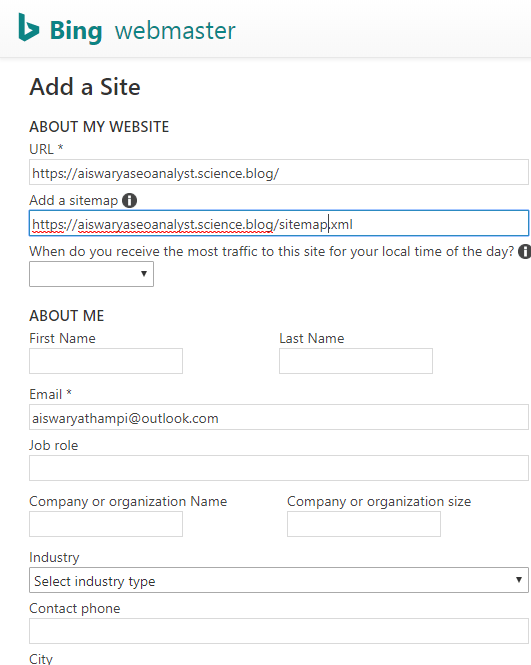
To get started with Bing webmaster tools, you need to add and configure your website.
1.Add Your Website
First of all you need to create a microsoft account or sign up with google ,facebook . Now you can add and verify your website under “My Sites”. There are three possible verification methods:
- XML file, which needs to be uploaded to the root directory of your website.
- Meta tag authentication: Add the meta tag from Bing Webmaster Tools in the section of your website.
- Add the Bing CNAME record to your DNS (Domain Name System). To do this, you need access to the hosting account of your domain.
- Configure Your Website
2.Configure Your Websit
After you have added your website to Bing Webmaster Tools, you can configure it. The most important configuration step is
Submit URLs: If your website is new or not yet in the Bing index for other reasons, you should manually submit the most important pages. You can submit 10 pages per day and 50 per month.
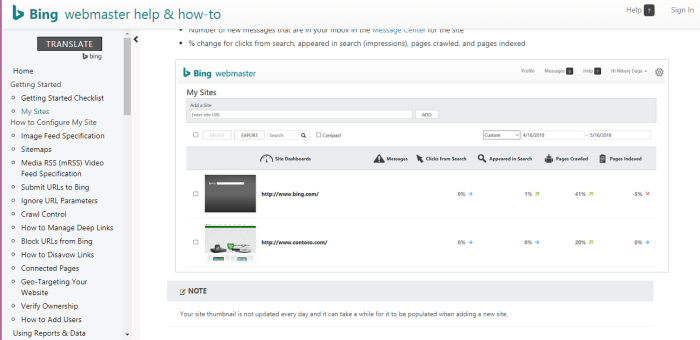
Diagnostics & Tools > Markup Validator: This tool allows you to check the structured data markups that Bingbot identifies on your website.
 SEO Expert Kerala- Aiswarya Thampi SEO Expert